Custom Bookmarker with Chrome Extension
A couple days ago, I launched a "Good Reads(https://www.mattjcowan.com/funcoding/good-reads/ "Good Reads")" section on this blog, where I could quickly capture some bookmarks for blogs I read using Go
A couple days ago, I launched a “Good Reads” section on this blog, where I could quickly capture some bookmarks for blogs I read using Google Reader. I wrote a couple PHP pages to capture the URL, Title and Blog RSS Feed source using a simple GET command, and then display them using the nice jquery plugin jquery.dataTables.js on a Wordpress page. It occurred to me, I might also just want to bookmark other pages as well, not just from Google Reader. So that’s when I thought about writing an extension. Wow, I was very surprised! Chrome makes it super easy to write browser extensions. In 20 minutes I had a little bookmarker extension in place. Here’s how it works.
The Code
Create 3 files in a folder of your choice:
- index.html
- index.js
- manifest.json
function sendSelection(i, t) {
  var url = i.linkUrl ? i.linkUrl: i.pageUrl;
  var title = i.selectionText;
  sendTo(url,title);
}

function sendPage(i, t) {
  var url = i.url;
  var title = i.title;
  sendTo(url,title);
}

function sendTo(u, t) {
  var str = 'Would you like to bookmark the selection: \n';
  str += '- URL: ' + u + '\n';
  str += '- Title: ' + t + '\n';
  if(confirm(str)) {
    var sendToUrl = "https://www.mattjcowan.com/wp-admin/good-read.php?u=" + u + "&t=" + t + "&s=chrome&v=2";
    chrome.tabs.create({"url": sendToUrl });
  };
}

var contexts = ["page","selection"];

for (var i = 0; i < contexts.length; i++) {
  var context = contexts[i];
  var title = "Send '" + context + "' to mattjcowan.com";
  if(context == 'selection') {
    chrome.contextMenus.create({"title": title, "contexts":[context], "onclick": sendSelection});
  };
  if(context == 'page') {
    chrome.contextMenus.create({"title": title, "contexts":[context], "onclick": sendPage});
  };
}<script src="index.js"></script>{
"name": "Send To (mattjcowan.com)",
"description": "Sends the page information to mattjcowan.com",
"version": "0.1",
"permissions": ["contextMenus","tabs"],
"background_page": "index.html",
"content_security_policy": "default-src 'self'"
}And there you go.
The Extension
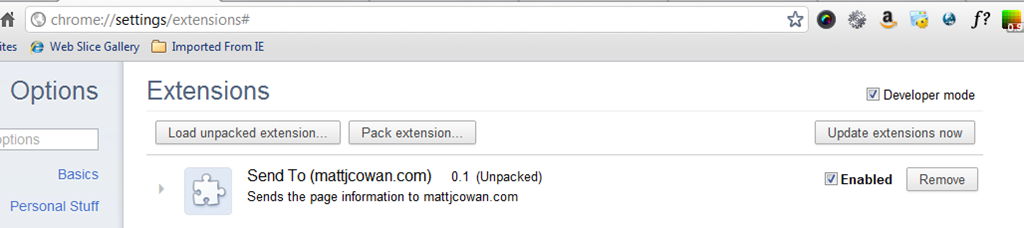
Navigate in your Chrome browser to “chrome://extensions”, and upload your new extension:
The Result
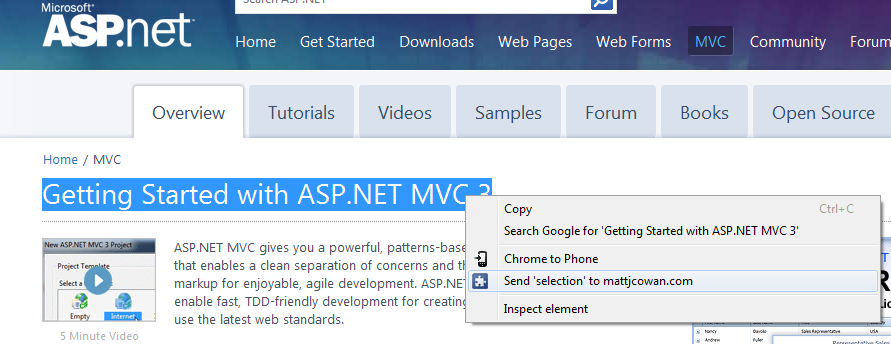
Now, using a simple “Right-click”, I can quickly post a link or page to my “Good Reads” section of the blog.
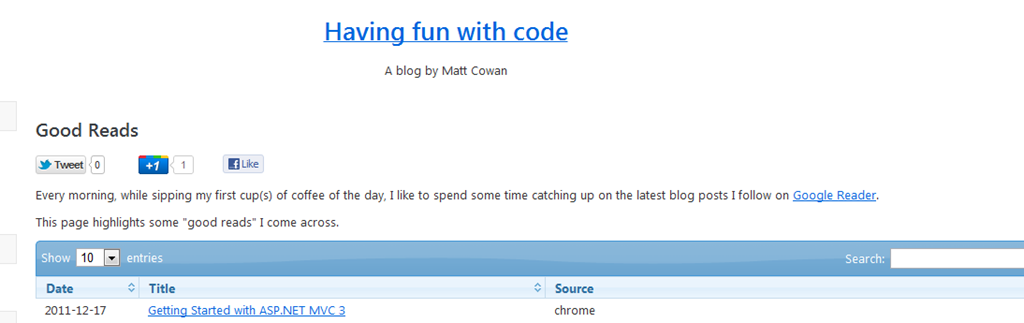
 And it magically appears in my bookmarks:
 Nice!
Nice!
Comments
Comments are moderated. Your email is never displayed publicly.